Describe your hours and team. Get a rota that covers every shift.
Shiftly turns your opening hours, team and shift rules into a weekly rota with coverage checks, hours summaries, printable diagrams and a recap — in seconds. We never handle wages.
The studio · try it now
A working rota, not a screenshot
Edit the café example below or describe your own shop. Everything runs live — no sign-up to try.
Indicative scheduling suggestions — confirm against your records; we never handle wages. Not legal, payroll, tax or health-and-safety advice.
Your rota appears here
Set your hours, team and rules, then generate. You get a covered rota, gap checks, an hours summary, printable diagrams and a weekly recap.
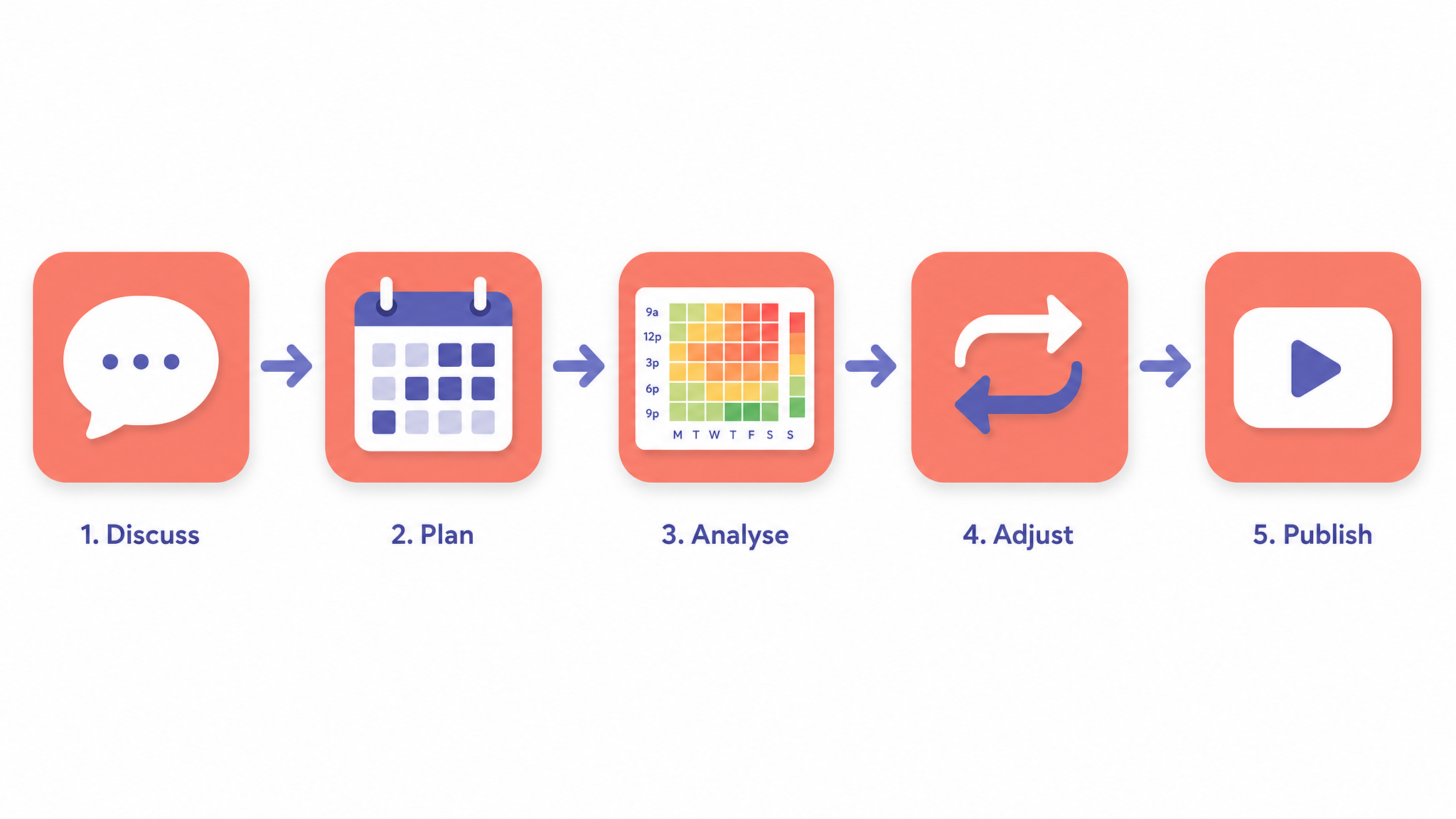
From brief to recap in five steps
Describe
Tell Shiftly your opening hours, team and rules in plain words or the builder.
Generate
Get a covered rota with gap, rest-interval and overtime checks.
Diagram
Render the rota grid, coverage heatmap and hours summary as printable PNGs.
Adjust
Swap a shift, add cover or change availability, then re-check coverage.
Recap
Export a weekly recap video and a rota PDF to share with your team.
What you get out
Every output carries an “indicative — confirm against your records; we never handle wages” note.
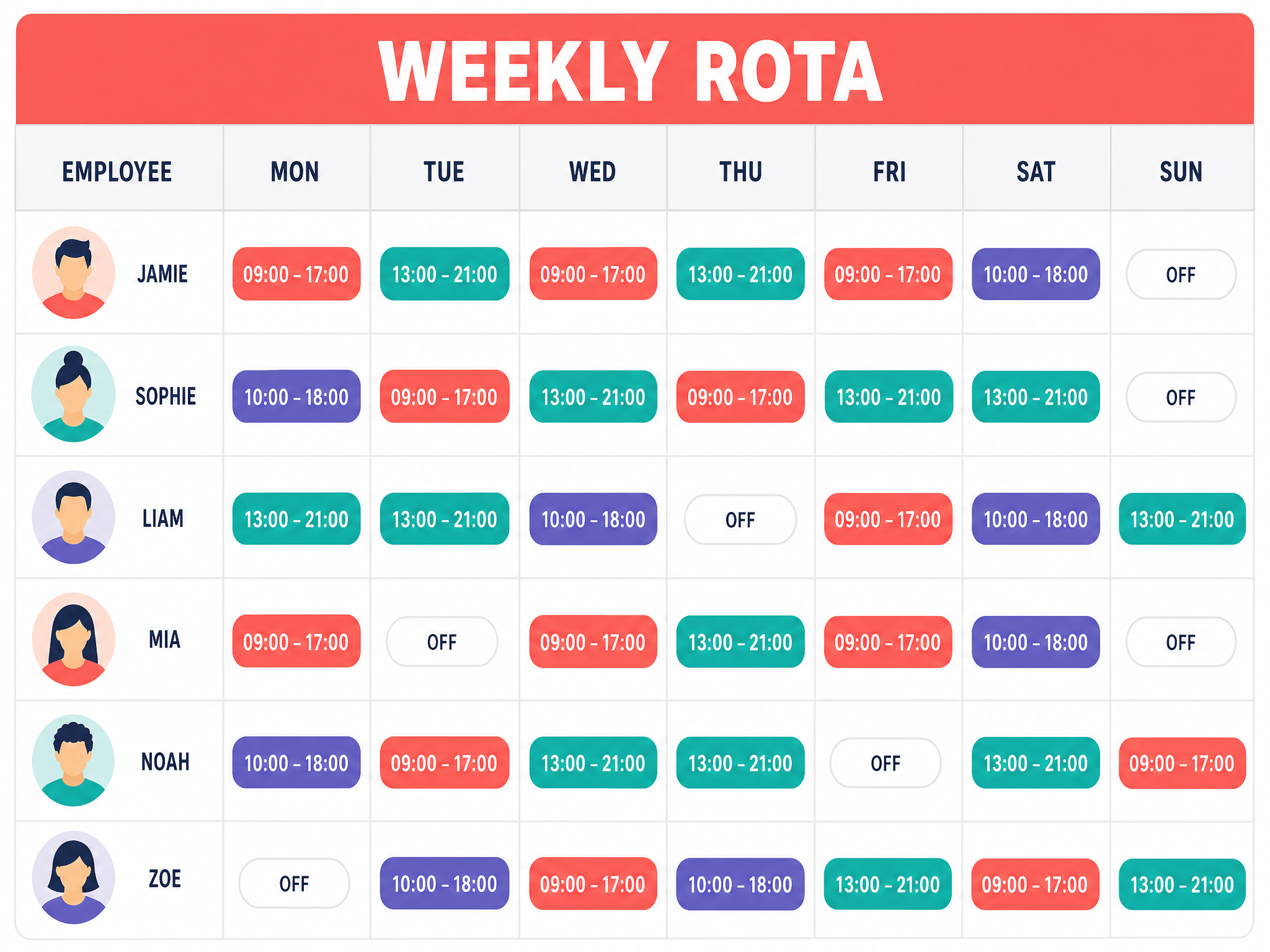
Rota grid
Employee × day grid, print and pin behind the counter.
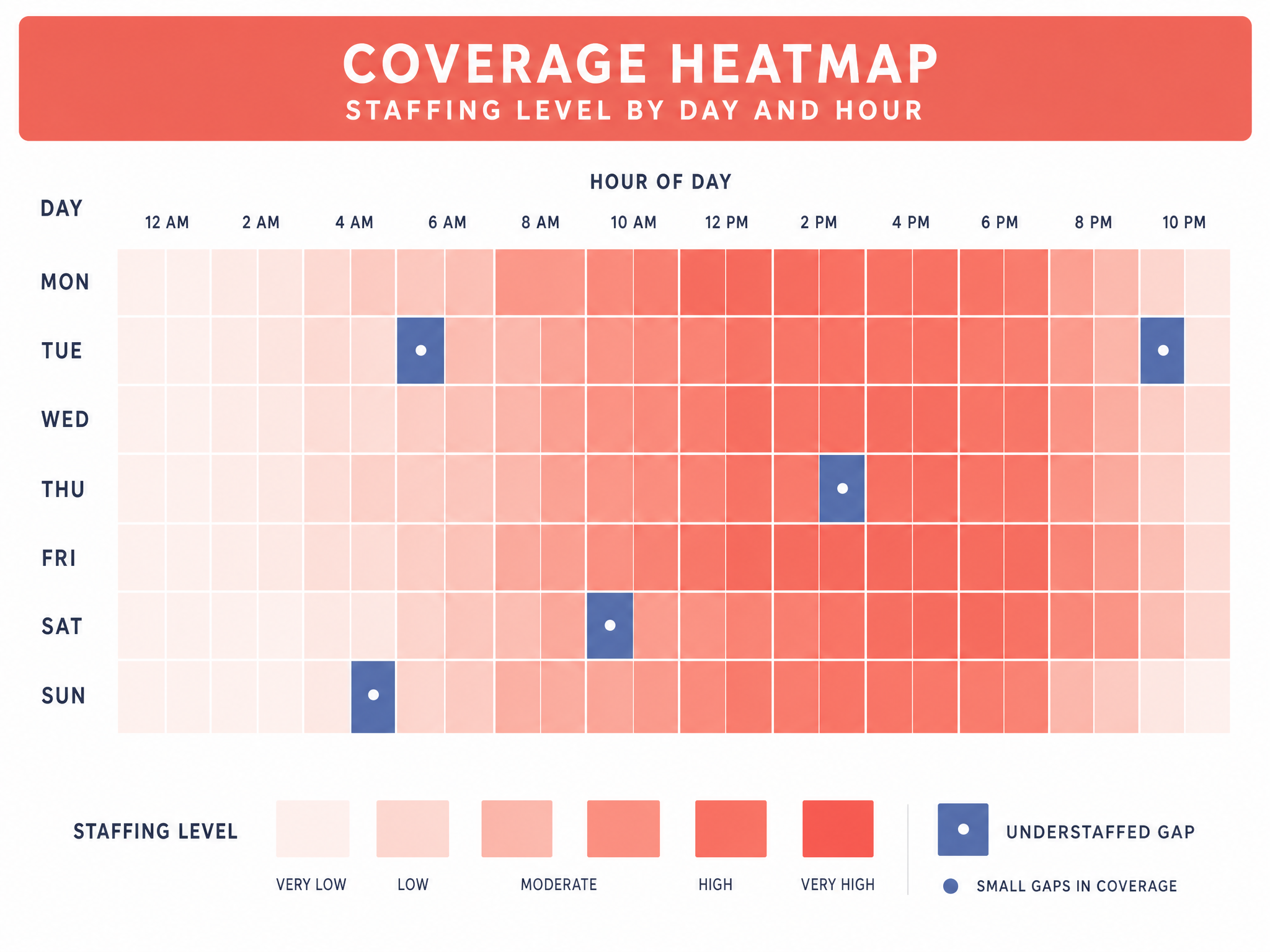
Coverage heatmap
See which hours are thin before they become a problem.
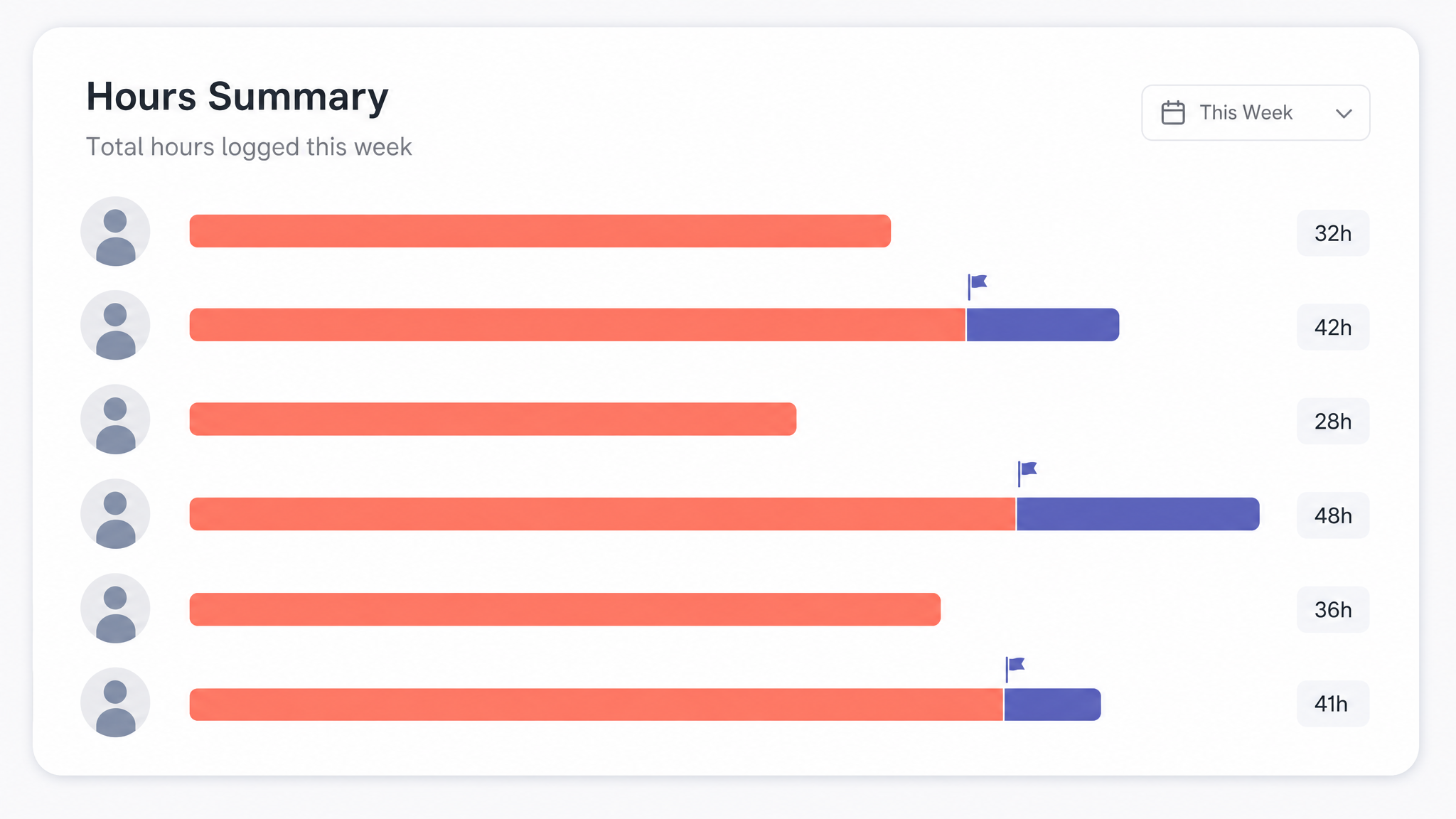
Hours summary
Weekly hours per person with overtime flagged for you to confirm.
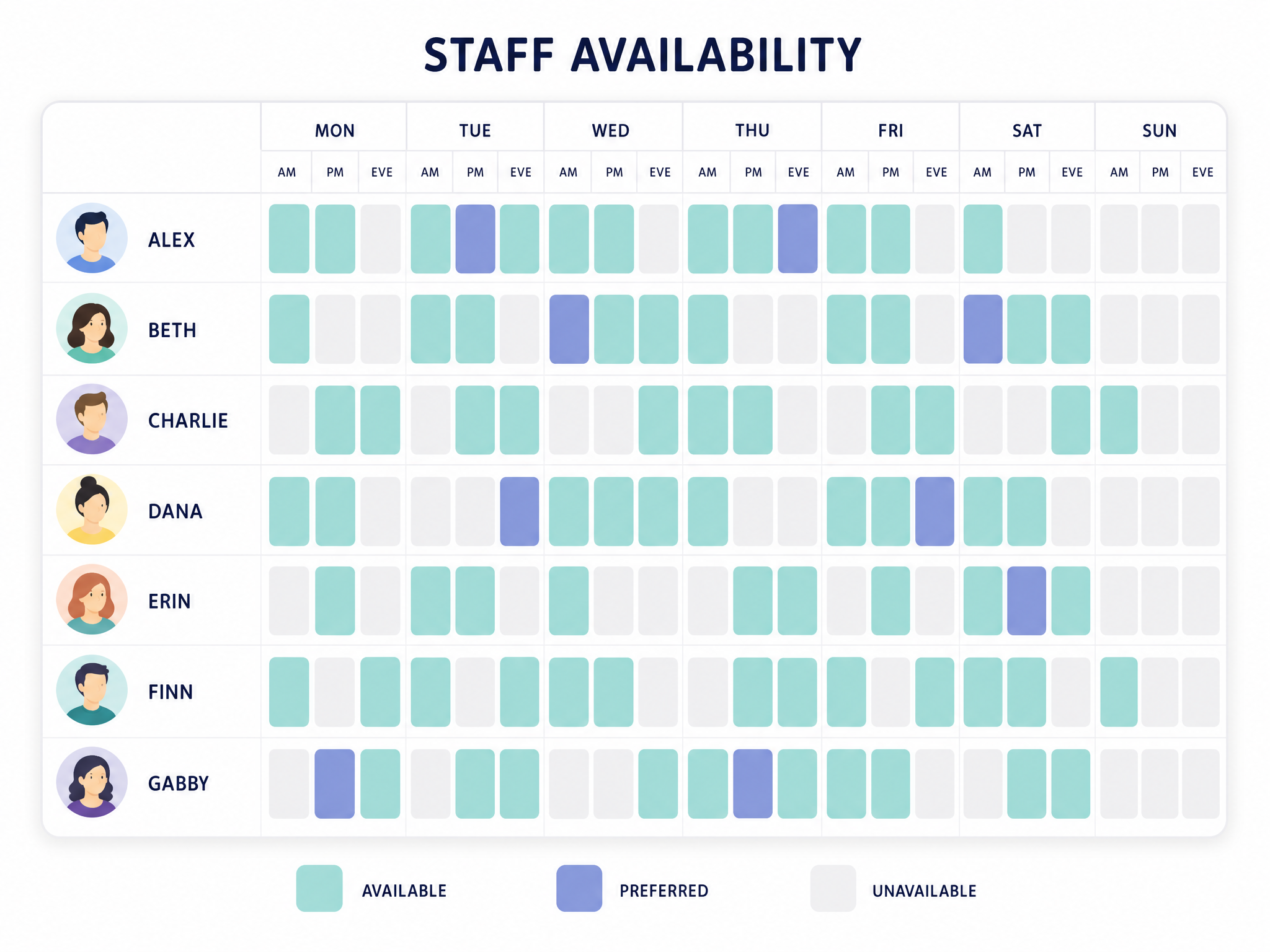
Availability map
Who can work when, at a glance.

Weekly recap
A short recap to drop in the team chat.

The red line
A scheduling tool — we never handle wages
Shiftly does not run payroll, and does not collect, hold or transfer any wages or funds. Working-time limits, breaks, minimum wage and holiday entitlements vary by location and remain your responsibility as the employer. Our checks are planning prompts, not legal, payroll, tax or health-and-safety advice.
Simple subscriptions, in USD
Full pricing & features →Prices in USD. Subscriptions are for service allowances, not credits or stored value; allowances do not roll over. Online-only digital SaaS — no physical goods.
Questions,
answered plainly

Does Shiftly pay my staff or run payroll?+
No. Shiftly is scheduling software only. We never calculate, hold, transfer or pay wages. Hours are indicative for planning — your official records remain the source of truth for pay.
Will it keep me compliant with working-time law?+
No tool can. Working-time limits, rest breaks, minimum wage, holiday and young-worker rules vary by location and are your responsibility as the employer. Shiftly flags rest gaps and long runs as prompts, not legal advice.
Can I export and print the rota?+
Yes. Every rota exports as Markdown/PDF, the diagrams export as PNG, the timesheet exports as CSV, and Studio adds a weekly recap video.
How is my team's data handled?+
You are the data controller for your staff's information. We minimise what we store, and you can delete inputs and results. See our Privacy Policy and AI Disclaimer for the full detail.
More questions? Visit support or contact us.
Cover every shift this week
Start free, no card needed. Upgrade when you want unlimited rotas, exports and recaps.
MAXMEN LTD. · Stoneycove, Checkbar, Nigg, Aberdeen, United Kingdom, AB12 4LP · support@maxmenukk.shop